
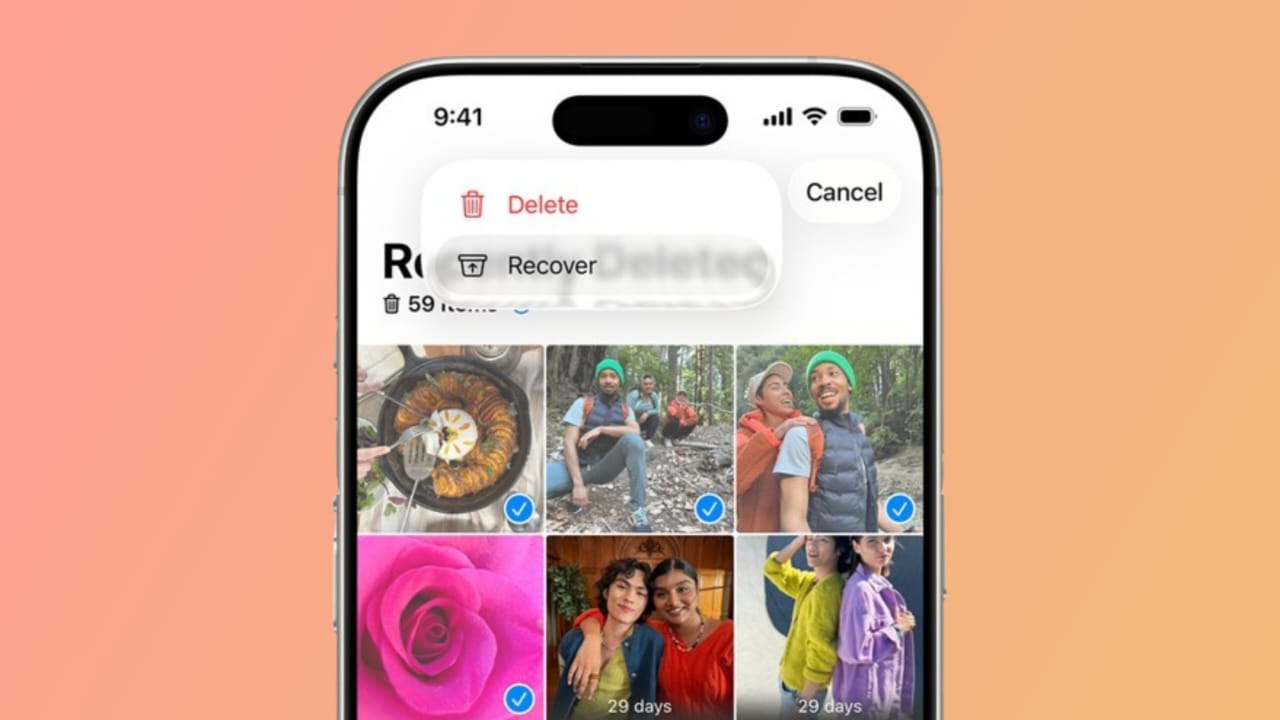
Recovering Permanently Deleted Photos is something many people search for. Accidentally deleting pictures is common on iPhone, Android, or PC. The good news is that many recovery options exist.
You can check recently deleted folders, restore from backups, or use recovery software. Cloud services also provide helpful options.
Key Takeaways
- Recover Permanently Deleted Photos using iCloud backups, the Recently Deleted folder, or Google Photos Trash.
- Use recovery software like MyRecover for iPhone, Android, and Windows when no backup exists.
- Photos deleted over 30 days are often gone forever, so always create regular backups.
Recover Permanently Deleted Photos on iPhone and Mac
The first step is checking the Recently Deleted folder. Apple devices keep deleted photos here for 30 days.
- On iPhone: Open Photos > Albums > Recently Deleted.
- On Mac: Open Photos app > Recently Deleted in sidebar.
If your photo is there, simply tap or click Recover. If not, you need other ways.
Restore Using iCloud Backup
If your photos were saved only on your device, iCloud backup can help. Always create a fresh backup first because restoring erases new data.
Steps to restore photos from iCloud backup:
- Open Settings and check Photos to confirm storage.
- If iCloud Photos is off, photos stay locally.
- Back up your phone to save current data.
- Go to Settings > General > Transfer or Reset iPhone.
- Select Erase All Content and Settings.
- Set up the device as new after a restart.
- On the Apps & Data screen, choose Restore from iCloud Backup.
- Sign in with your Apple ID and select an older backup.
- Wait for recovery to complete while connected to Wi-Fi.
If those photos existed at backup time, they will return.
Recover with Third-Party iCloud Tools
Sometimes deleted photos remain temporarily on Apple servers. You can try recovery software like CopyTrans Cloudly.
Steps with CopyTrans:
- Download and install programs on the computer.
- Sign in using your Apple ID and verification code.
- Select Rescue to scan and recover photos.
- Preview results and save desired files locally.
Keep in mind that only very recent deletions can return. Most programs limit free recovery and charge for more. Always change your Apple ID password after using third-party apps.
Are Photos Gone Forever After 30 Days?
Yes, after 30 days, deleted iCloud photos usually disappear permanently. They cannot be recovered with backup or software. Always download photos and store them safely in multiple places.
Recover Permanently Deleted Photos Without Backup
If no backup exists, recovery software can still help. Both PC and mobile devices support recovery tools.
Using MyRecover on Windows PC
MyRecover is a trusted recovery tool with strong features.
Benefits of MyRecover:
- Supports more than 1000 file types.
- Works with NTFS, FAT32, exFAT, and others.
- Recovers files from internal drives and SD cards.
- Free recovery available for 500MB of data.
Steps:
- Install MyRecover on the computer.
- Connect the SD card or storage device.
- Run Quick and Deep Scan.
- Filter results by type, size, or date.
- Preview photos and choose files.
- Recover to a new location, not the original drive.
Tip: Stop using the device immediately after deletion to avoid overwriting data.
Recovering Photos on iPhone Without Reset
MyRecover for iOS is useful for iPhone users. It works without erasing the phone.
Features:
- Restores photos, videos, contacts, and notes.
- Supports iPhone, iPad, and iPod Touch.
- Compatible with iOS 10 or later.
- Allows preview before restoring photos.
Steps are simple: install software on PC, connect iPhone, scan device, preview results, and restore selected photos back to phone.
Restore Photos via Google Photos App
For Android users, the Google Photos app can help. Deleted photos stay in the Trash folder for 30 days.
Steps:
- Open the Google Photos app or website.
- Navigate to the Trash folder.
- Select deleted photos and click Restore.
- Photos return to your gallery automatically.
If more than 30 days have passed, contact Google Drive Help. They may recover files if still available on servers.
The End Note
Recovering Permanently Deleted Photos is possible with proper steps and tools. iPhone users can check Recently Deleted, restore from iCloud, or use CopyTrans.
The best solution is prevention. Always back up your photos using cloud and offline storage. Protect memories before accidents happen.














Nice❤️❤️
Recovery my photo
Recovery my delete photo