
Call history shows every call made, received, or missed daily. Many people prefer keeping this list private for personal reasons. Sometimes old logs also take up storage space unnecessarily.
Knowing how to view and delete your call history on iPhone and Android is very useful. Both platforms offer easy steps for managing call logs securely.
Key Takeaways:
- iPhone lets you clear all or single calls.
- Android allows deleting full logs or specific contacts.
- Factory reset deletes all data; use as a last option.
View and Delete Your Call History on iPhone
The iPhone makes it simple to manage call history anytime. Open the Phone app and tap Recents. You will now see all recent calls listed. Tap a number or name for details like time, type, or duration.
To delete calls, tap Edit, then Select. Tap Clear All Recents to remove everything. To delete one call, tap the Delete button beside it. Another quick method is swiping left on that specific call.
If you accidentally delete important records, there is one solution. Restore your iPhone from a backup created earlier. This will bring back your deleted call history completely. Some carriers may also provide old or deleted call details when requested.
View and Delete Your Call History on Android
Android users can easily view and delete call logs. First, open the Phone app and select Recents. This section shows all dialed, missed, and received calls clearly.
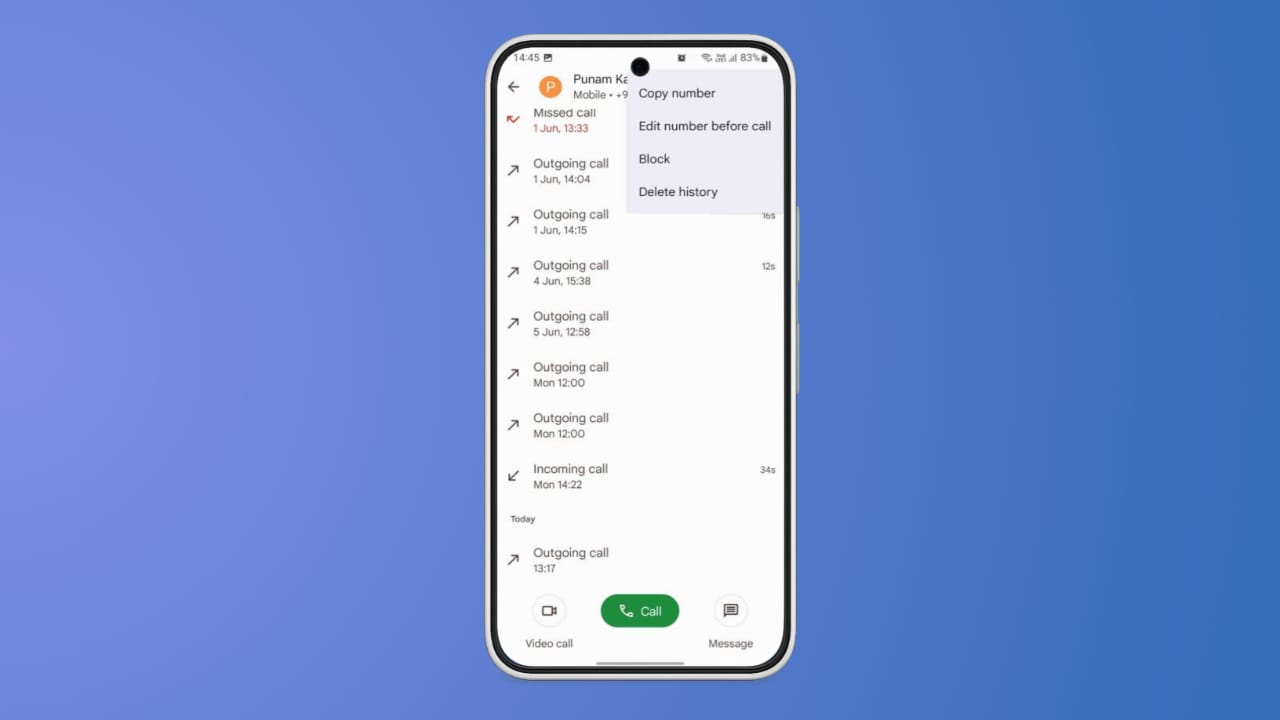
To remove everything, tap the three-dot menu on top. Choose the Delete call log, and the entire history disappears. For deleting one contact’s call log, follow another method.
Tap the info (i) button beside that contact. Tap the three-dot menu again and select Delete all calls on this number. This clears only calls linked to that contact.
You can also use the Settings app for managing call logs. Open Settings, search for Call logs, then select Delete call logs. This option also helps when you cannot access them through the Phone app directly.
Factory Reset Option on Android Devices
Android also includes an advanced option called Factory Data Reset. This removes all files, settings, and entire call logs. It will delete outgoing, incoming, and even missed calls permanently.
However, experts recommend avoiding this option for simple deletion. It should only be used as a last option. A reset completely erases the device and personal data. Always back up your files before performing a factory reset. This ensures you can restore important data after the process.
The End Note
Call history management is crucial for maintaining privacy and data security. You can view and delete your call history on iPhone and Android using very simple steps. iPhone users can clear calls or restore backups easily.
Android offers menu-based deletion, settings options, or a reset choice. Use factory reset only as the last step. Regularly clearing call logs helps protect your data privacy.















Good
Call history
Call history
Call history
Call history
Call history
Call history
Call hitory
Call history