Adobe offers powerful tools for modern video creators. From basic cuts to advanced effects, everything matters. Its mobile version also brings editing flexibility. Creators can now work across different devices.
Key Takeaways:
- Learn essential editing tools, transitions, and audio adjustments.
- Explore mobile editing and desktop synchronization features.
- Improve video quality through color grading and exporting.
Start Editing Video in the Adobe Premiere Pro app on Android:
Creating your first project is surprisingly straightforward. However, mastering professional editing requires regular practice. Adobe Premiere Pro offers tools for different needs.
Create Projects and Import Your Footage
Start by creating a new project in Premiere. Windows users can press Ctrl+Alt+N together. Mac users should press Option+Command+N instead.
Next, import your videos, images, and audio. Press Ctrl+Alt+I on Windows to import. Mac users can press Option+Command+I instead. Organize your files before you start editing.
Arrange Clips and Build Your Timeline
Drag your selected clips directly onto the timeline. Arrange them according to your video’s intended story. Use Insert and Overwrite to place clips accurately.
You can also nest sequences for complex projects. Windows users can press Ctrl+U for nesting. Mac users can press Command+U instead.
For smoother editing, remember these useful shortcuts:
- Ctrl+T / Command+T: Add a new title.
- Ctrl+D / Command+D: Apply default transitions.
- Shift+9: Open the Audio Clip Mixer.
- Shift+6: Open the Audio Track Mixer.
Effects and Audio
A good video needs more than simple cuts. Transitions help connect scenes without distracting viewers. Use different effects to support your storytelling. Adjust them through the Effects Controls panel.
Improve Colors and Visual Quality
Color grading gives your footage a consistent appearance. Premiere’s Lumetri Color tools offer detailed adjustments.
You can control exposure, shadows, highlights, and white balance. Android users also get curves and color wheels. Custom LUT files provide additional creative flexibility.
For accurate colors, check your display settings. Natural display modes can reduce excessive color saturation. This helps your footage look consistent across screens.
Make Your Video Sound Professional
Poor audio can distract viewers from videos. Premiere includes powerful tools for audio adjustments. Its Essential Sound panel organizes different audio categories.
These include dialogue, music, effects, and ambience. Automatic ducking lowers music during spoken dialogue. Noise cleanup can also improve voice clarity.
Android devices support machine-learning-based audio enhancement features. Always check audio levels before exporting your video.
Adobe Premiere Video Editing and Exporting on Mobile
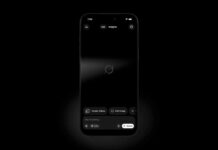
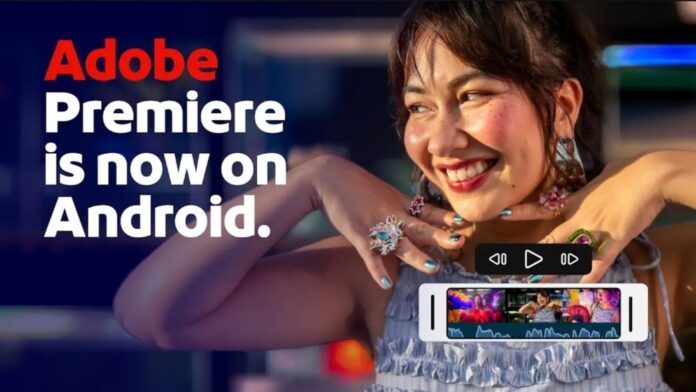
Adobe Premiere’s Android experience expands mobile editing possibilities. Its multi-track timeline supports layered video and audio. Pinch-to-zoom and magnetic snapping improve touchscreen precision.
External keyboards and mice provide additional editing control. Compatible monitors can also support larger editing workspaces.
Connect Mobile Editing With Desktop Workflows
Creative Cloud helps synchronize projects between compatible devices. Creators can assemble footage directly on Android. They can prepare rough cuts while travelling.
Desktop Premiere Pro can continue those synced projects. Editors can refine graphics, sound, and final exports. This workflow supports teams and independent creators.
Export and Improve Performance
Review your timeline before exporting finished videos. Adobe Media Encoder supports various output formats. Export projects for digital platforms, DVDs, or Blu-ray.
For better performance, manage storage and background processes. External SSDs help store large video files. Keep sufficient internal storage available for caching. Supported MP4 and MOV formats improve compatibility.
Lower preview resolution can help demanding projects. Adobe also offers learning resources for beginners. One mentioned masterclass contains eight learning modules.
It covers Premiere Pro, YouTube, and Instagram marketing. The original article listed a discounted $29 price. Actual availability and pricing may change.
The End Note
Start with simple cuts and gradually explore effects. Use mobile tools for flexible content creation.
Desktop workflows provide additional professional editing capabilities. Careful planning helps create polished, engaging videos.